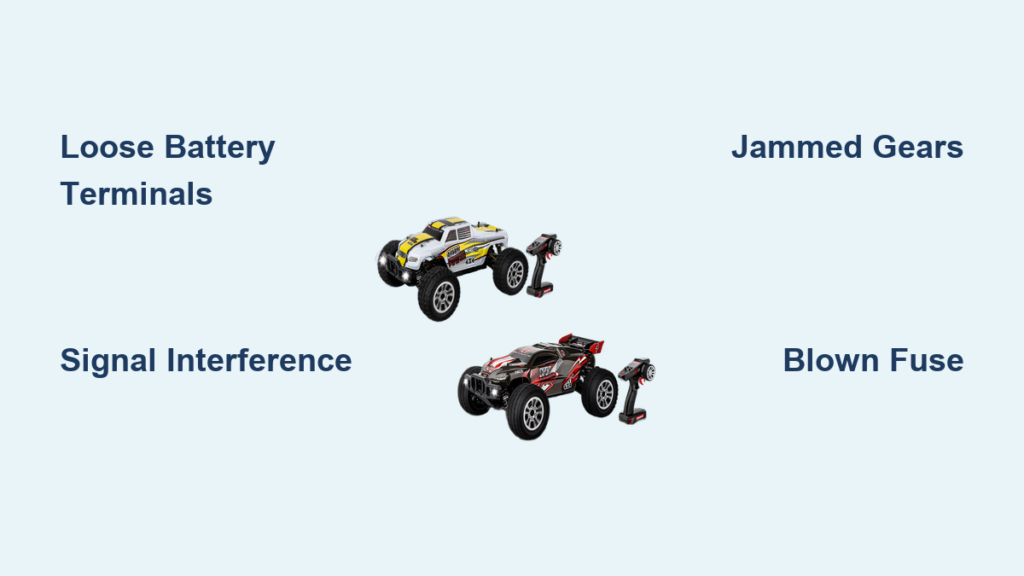
If your Carrera RC car suddenly stopped working mid-race or won’t power on at all, you’re not alone. Many RC enthusiasts face frustrating moments when their miniature speed machines refuse to cooperate. Understanding why your Carrera RC car isn’t working saves time, money, and prevents unnecessary part replacements. This guide addresses the most frequent problems that cause Carrera RC cars to malfunction and provides practical, step-by-step solutions you can implement immediately.
Battery Connection Problems That Disable Your RC Car
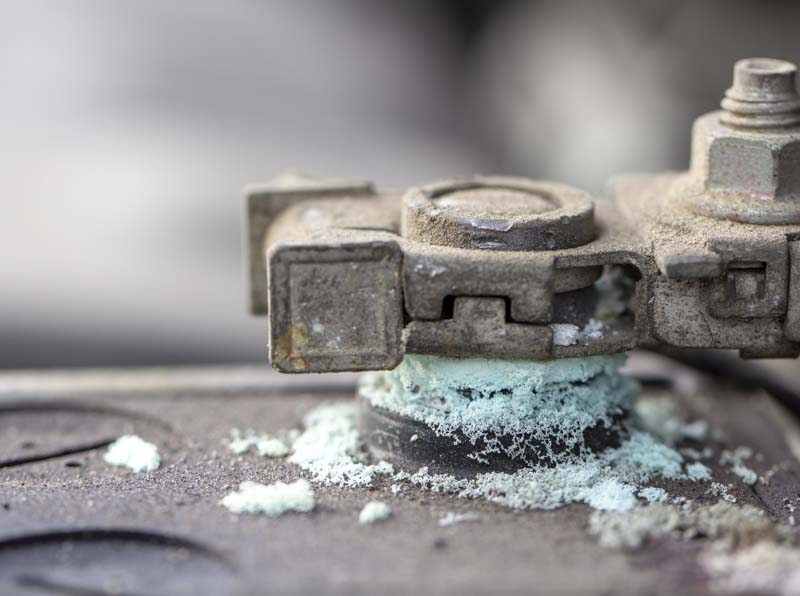
Loose Battery Terminals Causing Intermittent Operation
When your Carrera RC car powers on but suddenly cuts out during use, loose battery connections are often the culprit. The vibration from operation can cause terminals to shift slightly, breaking electrical contact. You’ll notice the car stutters, loses power momentarily, or stops completely only to work again after a brief pause.
To fix this issue:
– Remove the battery compartment cover using the appropriate screwdriver
– Inspect both the battery contacts in the car and on the battery itself for corrosion or bending
– Clean contacts with a cotton swab dipped in isopropyl alcohol
– Gently bend metal contacts inward slightly to increase pressure on the battery
– Apply a small amount of dielectric grease to prevent future corrosion
Pro Tip: Before reassembling, test the connection by gently wiggling the battery while the car is running to ensure consistent power delivery.
Incorrect Battery Installation Leading to No Power
Many users unknowingly install batteries backward, resulting in complete failure to power on. Carrera RC cars require proper polarity alignment, and reversing the batteries won’t just prevent operation—it can damage the electronic speed controller.
Look for these visual indicators:
– Positive (+) and negative (-) symbols inside the battery compartment
– Spring-loaded terminals that should connect to the flat end (negative) of AA batteries
– A diagram showing correct orientation (often molded into the plastic)
Radio Signal Interference Disrupting Control
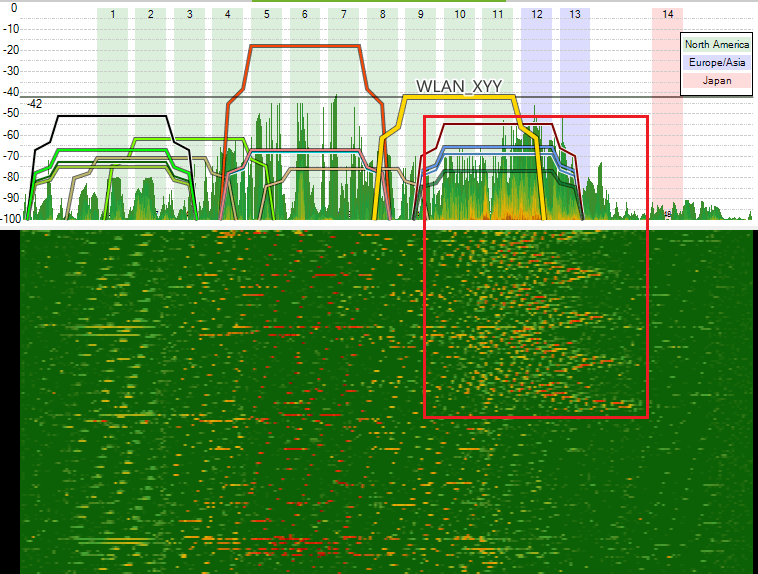
Nearby Electronic Devices Causing Signal Loss
Your Carrera RC car might respond erratically or not at all when other wireless devices operate nearby. Modern homes contain numerous 2.4GHz devices that can interfere with your RC car’s signal, including Wi-Fi routers, Bluetooth speakers, and even microwave ovens.
To eliminate interference:
1. Turn off all non-essential wireless devices in the immediate area
2. Move away from large metal objects that can reflect radio signals
3. Test operation in different locations to identify problem areas
4. Ensure your transmitter and receiver are properly synchronized (follow the binding procedure in your manual)
Low Transmitter Battery Causing Unresponsive Controls
When your Carrera RC car seems to work but doesn’t respond to steering or throttle inputs, check the transmitter batteries first. Weak transmitter batteries often cause delayed responses or complete loss of control while the car itself appears powered.
Warning: Using mismatched battery types in your transmitter can cause inconsistent voltage output. Always use the same brand and charge level for all transmitter batteries.
Motor and Gear System Failures
Jammed Gears Preventing Wheel Movement
If your Carrera RC car powers on but the wheels don’t turn, inspect the gear assembly for obstructions. Small debris like grass, carpet fibers, or plastic fragments can become lodged between gears, preventing rotation while still allowing the motor to run.
To clear jammed gears:
– Remove the body shell and access panels
– Visually inspect the gear meshing points for visible obstructions
– Use tweezers to remove any debris (never use metal tools that could damage gears)
– Apply a single drop of RC-specific gear oil after cleaning
– Manually rotate the wheels to ensure smooth movement before powering on
Burnt-Out Motor from Overheating
An RC car that powers on but produces no movement, accompanied by a burning smell, likely has a failed motor. Overheating typically occurs from prolonged use at high speeds, inadequate ventilation, or operating on surfaces that create excessive resistance.
Check for these signs of motor failure:
– Visible discoloration or melting on the motor casing
– Unusual grinding or high-pitched whining sounds before failure
– Smoke or burning odor emanating from the motor area
– Complete lack of movement despite proper battery installation
Electrical Component Malfunctions

Blown Fuse in the Speed Controller
Many Carrera RC models incorporate a small fuse in the electronic speed controller (ESC) that protects against electrical surges. A blown fuse will prevent power from reaching the motor while other components may still function.
To check and replace the fuse:
1. Locate the ESC (usually near the battery compartment)
2. Identify the fuse holder (typically a small cylindrical component)
3. Carefully remove the fuse using needle-nose pliers
4. Test with a multimeter for continuity
5. Replace with an identical rating fuse (common sizes are 5A or 10A)
Note: If the new fuse blows immediately, an underlying electrical issue exists that requires professional diagnosis.
Water Damage from Accidental Exposure
Even brief exposure to moisture can cause corrosion on circuit boards and connections. If your Carrera RC car stopped working after being used outdoors in damp conditions or accidentally ran through a puddle, water damage is likely.
Signs of water damage include:
– White or green corrosion on metal contacts
– Sticky residue around electrical components
– Intermittent operation that worsens over time
– Complete failure to power on after exposure
Wheel and Tire Issues Affecting Performance
Wheel Hub Separation Causing Drivetrain Failure
When your Carrera RC car powers on but only some wheels turn, check for separated wheel hubs. The constant torque can cause plastic hubs to slip on the axle, especially if the set screws have loosened over time.
To fix hub separation:
– Remove the affected wheel
– Clean the axle and hub interior with isopropyl alcohol
– Apply a tiny drop of thread-locking compound to the set screw
– Reattach the wheel and tighten the screw firmly
– Allow 10 minutes for the compound to set before operation
Tire Tread Damage Reducing Traction
Worn or damaged tires might not prevent operation but can cause the car to behave as if it’s not working properly. On smooth surfaces, tires with insufficient tread won’t grip, making the car spin in place despite full throttle.
Preventative Maintenance for Reliable Operation
Regular Cleaning Schedule to Avoid Buildup
Create a maintenance routine that prevents common failures:
– After each use: Remove visible debris from gears and axles
– Weekly: Clean electrical contacts and inspect for wear
– Monthly: Disassemble and thoroughly clean the drivetrain
– Seasonally: Replace worn bearings and check wiring integrity
Proper Storage Practices to Extend Lifespan
How you store your Carrera RC car significantly impacts its reliability:
– Remove batteries when not in use for extended periods
– Store in a cool, dry place away from direct sunlight
– Keep in a protective case to prevent dust accumulation
– Never store with the throttle stick engaged
When to Seek Professional Repair
Some issues require specialized tools and expertise. Consider professional service if:
– You notice burnt components on circuit boards
– The car powers on but produces unusual electronic noises
– Multiple systems fail simultaneously (steering and throttle)
– You’ve attempted basic troubleshooting without success
Final Note: Most Carrera RC car problems stem from simple issues like battery connections, signal interference, or minor mechanical obstructions. By systematically checking each potential failure point in the order presented here, you’ll resolve most “not working” situations without professional help. Regular maintenance prevents 80% of common failures, so establish a cleaning routine after each use. Remember to always start with the simplest solutions—battery checks and connection inspections—before moving to more complex diagnostics. With proper care, your Carrera RC car will provide reliable performance for countless racing sessions.