You’ve charged your batteries, double-checked everything, and yet your RC car sits motionless while you frantically press the controller triggers. That sinking feeling when your RC car won’t respond to the controller transforms what should be an exciting hobby session into a frustrating puzzle. The good news is that most connection issues between RC cars and controllers have straightforward solutions you can diagnose and fix at home without specialized tools. Whether you’re dealing with a new system that never worked properly or a previously reliable setup that suddenly stopped responding, this guide provides the systematic approach you need to restore communication between your controller and vehicle.
Common Binding Procedure Mistakes
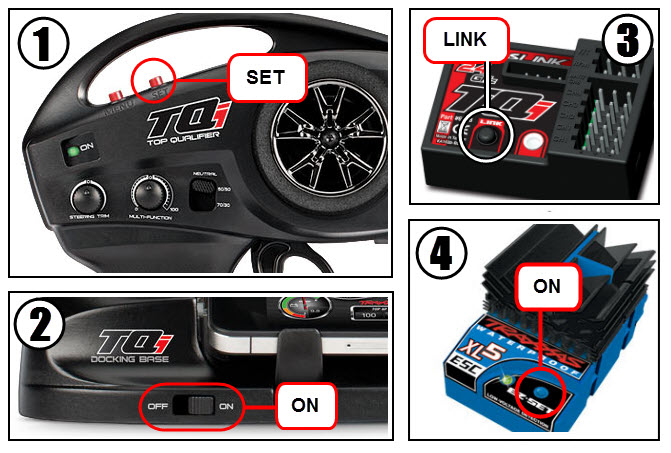
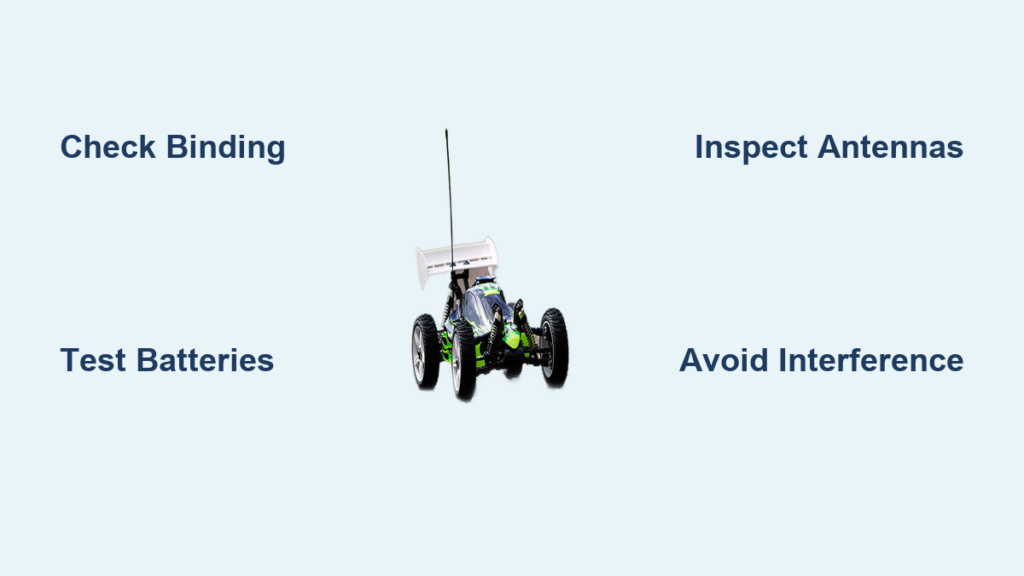
Binding errors account for over half of all “RC car won’t connect” issues, especially with new systems. Your transmitter and receiver must establish a unique communication link through the binding process, and skipping or performing this incorrectly leaves your equipment unable to recognize each other.
Most systems require specific binding sequences that vary by manufacturer. Start by locating the bind button on your receiver—typically a small push button inside the car chassis. With the receiver powered on, press and hold this bind button until the LED indicator begins flashing rapidly. Next, turn on your transmitter while simultaneously pressing its bind button or activating its bind function through the menu system. When successful binding occurs, the receiver’s LED will change from flashing to solid. Power cycle both units to confirm the connection persists.
Critical binding mistakes include releasing buttons too early, having other transmitters active nearby, or attempting to bind with depleted batteries. If binding fails repeatedly, move closer to the receiver during the procedure, as excessive distance can prevent the initial handshake. Some older systems require matching crystal pairs—ensure both transmitter and receiver use identical frequency crystals if your system employs removable crystals.
Power Supply Failures You’re Overlooking

Inadequate power delivery causes connection failures that mimic more serious electronic problems. Both your RC car and controller require stable voltage within specific ranges to maintain communication, and subtle power issues often go undetected during casual inspection.
Begin by testing both batteries with a multimeter rather than relying on charger indicators. Your car battery must deliver at least 4.8V for NiMH or 7.4V for LiPo setups to the receiver under load—resting voltage readings can be misleading. A battery might show 8.4V at rest but drop dramatically when the motor engages, causing the receiver to brown out. Similarly, transmitter batteries below 6.6V often transmit weak signals that fail to reach the receiver consistently.
Corroded connectors and failing power switches create intermittent connections that manifest as random disconnection. Clean all battery terminals with contact cleaner and a small brush, then apply dielectric grease to prevent future oxidation. Pay special attention to the small slide or toggle switches on both units—these frequently develop internal corrosion or mechanical wear that causes intermittent contact. If you need to hold the switch in a specific position for power to engage, replacement is necessary.
Radio Interference Sources Disrupting Your Signal
Interference creates connection problems that seem random and location-dependent, making diagnosis particularly challenging. These issues often work perfectly in your garage but fail completely at the park, leaving you puzzled about the cause.
Other RC vehicles operating nearby represent the most common interference source. Even systems on different frequencies can cause harmonic overlap that disrupts communication. Always scan your environment for other RC activity before driving and choose a clear frequency band. Consumer electronics like WiFi routers, cordless phones, and Bluetooth devices emit radio frequencies that interfere with RC signals—microwave ovens are especially problematic as they operate at 2.4GHz, matching many modern RC systems.
Physical structures significantly impact signal propagation. Large metal objects, concrete walls with rebar, and dense vegetation can block or reflect signals. Operating near chain-link fences, parked vehicles, or water bodies creates dead zones where signals cannot reach. Experiment with different operating positions to find locations with clear line-of-sight between your controller and vehicle. If connection works in an open field but fails elsewhere, you’ve identified an interference issue rather than equipment failure.
Receiver and Transmitter Diagnostics

When basic troubleshooting fails, systematic testing isolates whether your transmitter, receiver, or associated electronics require attention. These components work together to generate, receive, and process radio signals, and failure in any part disrupts the entire communication chain.
Transmitter problems typically manifest as weak or inconsistent control response rather than complete failure. If your RC car only responds when holding the controller at specific angles, the transmitter’s RF module or antenna may be damaged. Ensure the antenna is fully extended during operation—many transmitters require this for optimal performance. Test with a known-good receiver if available to confirm whether the issue originates with the transmitter.
Receiver failures show various symptoms: a completely dead receiver indicates power delivery failure, while units that power on but fail to bind suggest binding circuit problems. Intermittent connection that works sometimes but fails unpredictably often points to poor solder joints or failing voltage regulators. Visually inspect the receiver for obvious damage like burnt components, cracked solder joints, or damaged circuit board traces before concluding replacement is necessary.
Essential Binding Verification Steps
After performing the binding procedure, verify success through multiple methods before assuming connection is established. Many hobbyists complete binding but miss critical verification steps that confirm true functionality.
First, confirm the receiver LED changes from rapid flashing to solid illumination during binding—this visual indicator provides the most reliable confirmation of successful pairing. Next, power cycle both units completely and watch for the receiver LED behavior during startup; a properly bound receiver typically shows a solid light immediately upon power-up rather than searching for a signal.
Perform a range test in a clear area with no potential interference sources. Start close to your vehicle and gradually increase distance while testing all control functions. If controls become erratic or fail at short distances (less than 30 feet), binding may be incomplete or interference may be present. Test each channel individually—turn the steering wheel fully left and right while watching the servo movement, then test throttle response with the car supported off the ground.
When Replacement Becomes Necessary
Some connection problems can be repaired, while others require component replacement. Knowing when to replace parts saves time, money, and frustration while ensuring reliable operation.
Transmitter and receiver modules themselves rarely justify repair unless expensive and the damage is clearly identifiable. Modern RC electronics contain highly integrated components on multi-layer circuit boards that are impractical to repair at home. If you detect burnt smells, visible component damage, or water exposure, replacement is typically more cost-effective than professional repair attempts.
Antennas and their coaxial cables can often be replaced individually if damaged. Transmitter antennas usually thread or clip into place, while car antennas mount through body openings with simple screw connections. Replacement antennas are inexpensive and readily available—just ensure you select the correct length and connector type for your receiver model.
Batteries and connectors should be replaced at the first sign of degradation. Swollen LiPo cells pose safety risks and require proper disposal. Corroded battery trays or connector housings often need replacement if cleaning fails to restore reliable contact. Power switches are inexpensive components that should be replaced if cleaning doesn’t restore consistent operation.
Preventive Maintenance for Reliable Operation
Establishing simple maintenance habits dramatically reduces connection problems and extends your RC electronics’ lifespan. These practices take minimal time but prevent most common issues before they occur.
Before each driving session, quickly inspect battery connectors for debris and verify they seat fully with a satisfying click. Check that antenna mounts are secure and cables routed away from moving parts. Periodically remove the receiver cover and blow out dust with compressed air while checking for loose screws or damaged wires.
Store batteries at approximately 50% charge for long-term storage, and avoid leaving discharged batteries in equipment exposed to temperature extremes. Store transmitters with antennas retracted in protective cases, and cushion car receivers during transport to prevent vibration damage.
Develop a pre-operation checklist: verify battery charge levels, confirm antenna integrity, perform a range test in a clear area, and test all control functions with the car supported off the ground. These few extra moments before each session catch developing problems early and prevent mid-drive failures.
When your RC car won’t connect to the controller, systematic diagnosis beats random troubleshooting every time. By methodically working through binding procedures, power delivery verification, interference elimination, and component testing, you’ll resolve most connection issues without expensive repairs. The most reliable systems belong to hobbyists who implement preventive maintenance and understand their equipment’s operation—not those with the most expensive gear. Implement these techniques consistently, and you’ll spend more time driving and less time diagnosing, transforming frustrating connection failures into rare exceptions rather than regular occurrences.