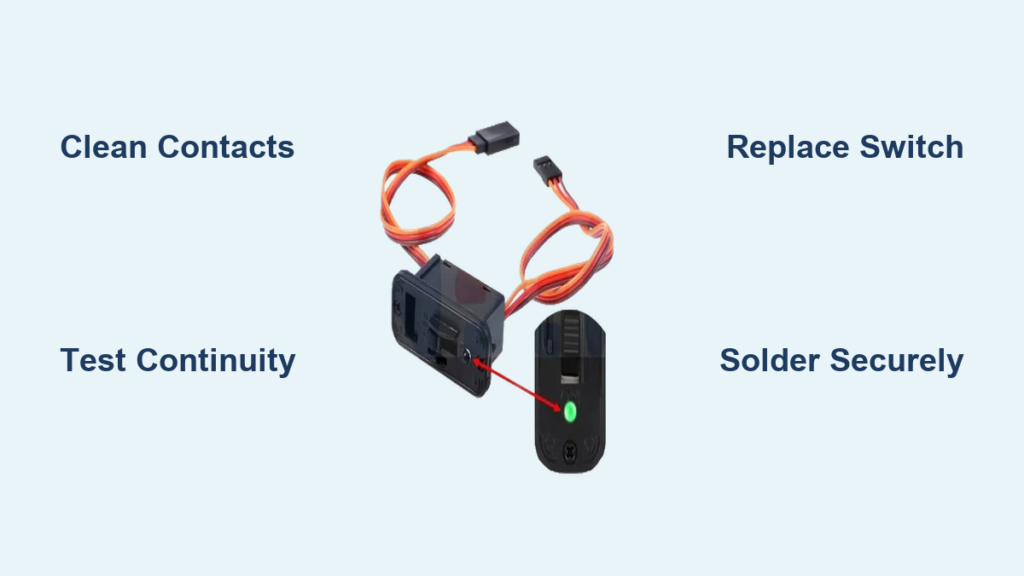
Your RC car suddenly won’t respond when you hit the power switch. The transmitter seems fine, the battery’s fully charged, but nothing happens when you flip the switch—no lights, no motor hum, not even a servo twitch. This frustrating scenario happens to every RC enthusiast eventually, and in most cases, the culprit is a faulty switch that’s either dirty, worn out, or has failed completely. The good news? You can typically fix a switch in your RC car without specialized skills or expensive tools. This guide shows you exactly how to diagnose and repair common switch problems, getting your RC car back on the track in less than an hour.
Before you start replacing parts randomly, understanding how switches fail and what signs to look for will save you time and money. Most RC car switches—whether they’re simple toggle switches, push-button types, or servo-actuated mechanisms—follow similar failure patterns and repair processes. Let’s walk through the systematic approach that turns switch repair from guesswork into a reliable process.
Diagnose Your RC Car’s Switch Failure Type
Identifying the specific failure mode prevents wasted effort and unnecessary part replacements. Switch problems in RC vehicles generally fall into four distinct categories, each requiring a different repair approach.
Intermittent operation creates the most confusing failures. Your RC car might work perfectly during bench testing but cut out during actual use, especially when bouncing over rough terrain. This symptom typically indicates loose connections inside the switch housing, worn contact points that only make partial contact under certain conditions, or debris interfering with consistent electrical flow. As the problem worsens, you’ll notice longer periods of non-response between working intervals.
Complete non-response presents a clearer diagnostic picture. When pressing the power switch produces absolutely no reaction—not even indicator lights—you’re likely dealing with a fully failed switch, blown fuse, or disconnected wiring. This failure often occurs suddenly after a crash or water exposure, but can also happen after extended use as internal contacts wear out completely. Check your battery connections first before assuming the switch itself has failed.
Flickering lights or inconsistent power signal a switch that’s making unreliable contact. You’ll observe LEDs dimming and brightening erratically, or the receiver cutting in and out during operation. This symptom commonly affects toggle switches where the internal spring mechanism has weakened, or push-button switches where the contacts no longer maintain consistent pressure. Treat flickering as an urgent warning—the complete failure usually follows within days.
Physical symptoms provide immediate diagnostic clues. If the switch feels “mushy” when pressed, has excessive play in its movement, or makes grinding/cracking sounds during operation, mechanical failure is imminent. Similarly, visible discoloration around the switch housing or a burning smell when operating your RC car indicates serious problems requiring immediate attention to prevent fire hazards or further component damage.
Gather Your Essential Switch Repair Toolkit
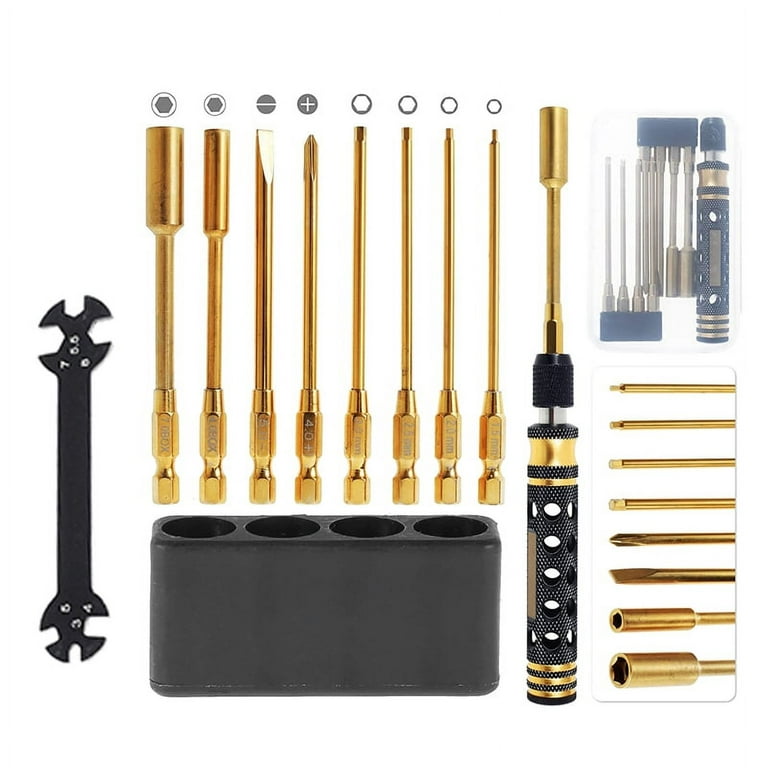
Having the right tools before starting ensures efficient repairs without frustrating interruptions. You don’t need a professional workshop—just these essential items for most RC car switch repairs.
Basic electronics tools form your foundation:
– A temperature-adjustable soldering iron (25-40 watts)
– Quality rosin-core solder
– Desoldering pump or braid
– Digital multimeter with continuity testing
– Fine-tipped needle-nose pliers
– Wire strippers for small-gauge RC wiring
Cleaning supplies address the most common switch issues:
– 90%+ isopropyl alcohol
– Electronics contact cleaner spray
– Small artist’s brush (for applying cleaner)
– Compressed air can (for blowing out debris)
– Lint-free microfiber cloths
Safety equipment protects both you and your RC car:
– Safety glasses (solder splatter happens!)
– Anti-static wrist strap
– Heat-resistant work surface
– Fire extinguisher nearby (just in case)
Execute Proper Switch Testing Procedure
Testing your switch with a multimeter eliminates guesswork and confirms whether repair or replacement is needed. This simple process requires only two minutes but saves hours of unnecessary work.
Set your multimeter to continuity mode—look for the diode symbol or sound wave icon. This setting produces an audible beep when a complete electrical path exists between probes. Touch the probes together to verify you hear a clear tone before beginning.
Test the switch terminals with the switch in both positions. With the switch “off,” you should hear no sound—the circuit must be open. Activate the switch to “on” position and listen for a strong, consistent beep. Intermittent beeping indicates partial contact requiring attention, while no beep confirms complete failure.
For multi-position switches, test each position independently. Some RC cars use switches with multiple circuits that can fail separately—your radio might work while your lights don’t, for example. Document which positions conduct properly and which don’t to guide your repair strategy.
Clean Switch Contacts Effectively
Most switch failures stem from simple contamination rather than mechanical breakdown. Proper cleaning often restores full function without replacement.
Choose the right cleaner based on contamination type. Isopropyl alcohol dissolves oil-based contaminants but takes longer to dry. Electronics contact cleaner works faster on carbon buildup but requires proper ventilation. Never use WD-40 or household cleaners—they leave residues that attract more dirt.
Apply cleaner safely by first disconnecting all power sources. Spray a small amount directly onto contacts while cycling the switch repeatedly to flush debris from the mechanism. For sealed switches, apply cleaner around the edges and work it in with a small brush.
Allow complete drying before testing—this critical step prevents shorts. Wait at least 15 minutes in a warm, dry environment, or use compressed air to accelerate evaporation. Testing too soon risks damaging your electronics with residual moisture.
Replace Faulty Switch Components Correctly
When cleaning fails to restore function, component replacement becomes necessary. This process requires careful attention to detail but delivers professional results.
Identify exact replacement parts matching your switch’s specifications. Pay special attention to voltage and current ratings—using an undersized switch creates fire hazards. Most RC car switches operate at 5-12V with 2-5A capacity, but always verify your specific requirements.
Document wire connections before desoldering. Take multiple photos showing wire colors and terminal positions from different angles. RC wiring often follows color conventions (red=power, black=ground), but variations exist between manufacturers.
Desolder carefully using proper technique. Apply heat to the joint until solder flows, then remove excess with your pump or braid. Work efficiently to prevent heat damage to the circuit board—each connection should take no more than 3-4 seconds. Clean any remaining solder from the board before installing the new switch.
Master Proper Soldering Techniques
Soldering quality determines whether your repair lasts weeks or years. Avoid these common mistakes that cause premature failure.
Prepare your iron properly by cleaning the tip on a damp sponge and applying fresh solder to “tin” it. A well-tinned tip transfers heat efficiently, while a dirty or pitted tip creates cold joints that fail quickly. Replace worn tips immediately—they’re inexpensive compared to ruined circuit boards.
Heat both surfaces before applying solder. Place the iron tip against both the terminal and wire simultaneously, allowing heat to transfer fully before introducing solder. Proper joints form in 2-3 seconds with smooth flow over both surfaces. Cold joints appear dull and grainy—they’ll crack under vibration and cause intermittent failures.
Inspect each joint critically after soldering. Good connections appear shiny with a concave shape showing complete wetting of both surfaces. Gently tug on each wire to verify mechanical security before applying power. Taking an extra minute per joint prevents frustrating failures later.
Implement Preventive Maintenance Strategies
The best repair is one you never have to make. These simple practices dramatically extend switch lifespan.
Protect switches from contamination using covers or boots during operation, especially in dusty or wet conditions. Store your RC car in a sealed container to prevent dust accumulation when not in use. A simple protective measure can double your switch’s operational life.
Maintain proper battery health to reduce electrical stress on switches. Weak or failing batteries cause increased current draw that accelerates contact wear. Replace batteries showing signs of age—they’re cheaper than repeatedly fixing damaged switches.
Operate switches deliberately by flipping toggles firmly to their stops and pressing buttons straight in. Avoid holding switches in intermediate positions where arcing occurs, and never force a stiff mechanism—that causes more damage than normal wear.
Schedule regular inspections based on usage frequency. Competitive racers should check switches monthly, while casual users might only need seasonal checks. Testing with a multimeter during inspections catches developing problems before they strand you trackside.
Know When to Replace Instead of Repair
Some situations make replacement more practical than repair. Recognizing these scenarios saves time and ensures reliability.
Physical damage to the housing—cracks, broken mounting tabs, or stripped threads—makes repair impractical. A structurally compromised switch will fail catastrophically eventually, no matter how well you clean or solder the contacts.
Repeated failures after cleaning indicate underlying problems that simple fixes can’t address. If a switch has been cleaned multiple times or required repeated soldering, replacement provides more reliable results.
Readily available replacements sometimes make repair uneconomical. When switches cost less than $10 and take five minutes to install, spending thirty minutes diagnosing and cleaning isn’t cost-effective.
Safety-critical functions always warrant replacement over repair. If a switch controls essential systems like motor cutoff or steering, any doubt about reliability justifies installing a new component—the minimal cost outweighs potential damage or injury.
Final Note: Fixing a switch in your RC car typically takes less than thirty minutes with basic tools and knowledge. Most failures stem from simple contamination or minor wear that cleaning or proper soldering can resolve. When replacement becomes necessary, the process remains straightforward for most RC models. By implementing regular inspections and protective measures, you’ll minimize future switch problems and maximize track time. If you encounter sealed switches that can’t be opened or circuit board damage beyond your skill level, professional repair services or complete component replacement remain sensible alternatives—sometimes the smartest fix is knowing when not to fix.