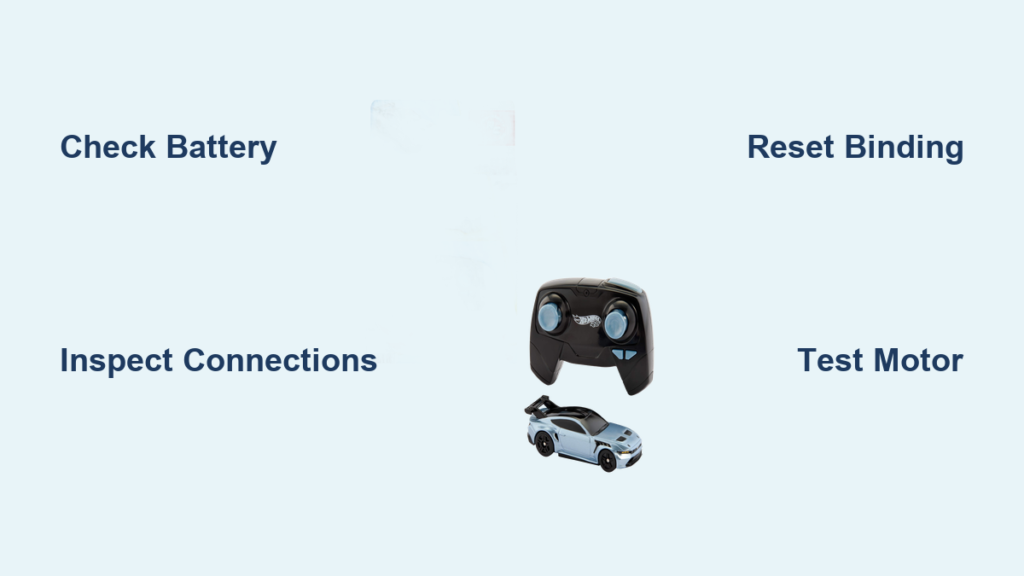
Few things frustrate RC car enthusiasts more than pressing the transmitter button and watching nothing happen. Your Hot Wheels RC car not working can stem from several common causes, ranging from simple battery issues to more complex electronic failures. The good news is that most problems can be diagnosed and resolved at home without professional repair. This guide walks you through systematic troubleshooting steps to identify the issue, apply the right fix, and get your RC vehicle back on the road.
Before you spend money on a replacement or professional repair service, work through these diagnostic steps. Most Hot Wheels RC vehicle failures result from just a handful of preventable issues, and you’ll often find the solution takes only minutes.
Diagnose Why Your RC Car Won’t Move
When your Hot Wheels RC car not working, start with a systematic visual and operational diagnosis before diving into repairs. Understanding exactly what your vehicle does—or doesn’t do—guides you toward the right solution faster.
Confirm Basic Power and Response
Begin by observing what happens when you attempt to operate the vehicle. Does the car show any signs of life whatsoever? Listen carefully for any motor sounds, even if the wheels don’t turn. Check whether indicator lights illuminate on either the vehicle or transmitter. These observations help you distinguish between complete power failures, motor problems, and radio communication issues.
Gather information about recent use and storage conditions. Has the vehicle been sitting unused for weeks or months? Did it work fine previously and suddenly stop? Has it experienced any crashes, impacts, or exposure to moisture? This context often points directly to the root cause.
Check for Obvious Physical Damage
Inspect the entire vehicle for visible damage that could explain the malfunction. Examine the body shell for cracks or warping that might interfere with wheel movement. Check all wheels for free rotation by lifting the vehicle and spinning each wheel by hand. Any resistance, grinding, or clicking indicates a mechanical obstruction or drivetrain damage requiring further investigation.
Look closely at the antenna if your model has an external one. A damaged, bent, or missing antenna severely reduces radio range and can make the vehicle appear non-responsive. Also verify that no debris, dirt, or foreign objects have become lodged in the wheels, gears, or steering mechanism.
Fix Power System Issues
Power-related problems account for the majority of Hot Wheels RC car not working scenarios. Battery and charging system issues are often the simplest to diagnose and frequently the easiest to fix.
Battery Installation and Connection
If your Hot Wheels RC car won’t respond at all, the battery is the first suspect. Open the battery compartment and verify correct battery orientation. Even new batteries won’t work if installed backward. Confirm that the battery contacts are clean and making solid connection with the terminal springs. Corrosion, dirt, or deformation on the contacts can interrupt power flow entirely.
For vehicles using rechargeable batteries, check that the battery pack is fully charged before testing. A depleted battery might show partial signs of life—lights flickering, weak motor sounds—without providing enough power for movement. Let the battery charge for the full recommended time, then test again. If the battery won’t hold charge or charges very quickly then depletes rapidly, it likely needs replacement.
Transmitter Battery and Signal
Don’t overlook the transmitter batteries when troubleshooting. Weak or depleted transmitter batteries can prevent radio signals from reaching the vehicle, causing what appears to be a vehicle malfunction. Replace transmitter batteries with fresh ones, ensuring correct polarity, before continuing troubleshooting. Test with the transmitter in close proximity to the vehicle—less than three feet—to rule out range or interference issues.
Resolve Radio Control Problems

When power systems check out but your Hot Wheels RC car not working persists, radio frequency and communication issues often take blame. These problems require specific diagnostic approaches.
Frequency Selection and Interference
RC vehicles operate on specific radio frequencies, and conflicts can prevent operation. If multiple RC vehicles are nearby—including neighbor’s toys—try operating in a different location away from potential interference sources. Some models allow manual frequency selection; consult your instruction sheet for how to change channels if interference is suspected.
For vehicles with fixed frequencies, ensure your transmitter and vehicle are a matched set. Using a different transmitter, even one that looks identical, won’t work if it operates on a different frequency. Verify model compatibility before attempting to bind or pair components.
Binding and Synchronization Procedures
Many modern Hot Wheels RC vehicles require an initial binding or synchronization process between transmitter and receiver. If this binding is lost or wasn’t completed properly, the vehicle won’t respond. Review your instruction sheet for the specific binding procedure for your model, which typically involves specific button sequences and power-on order.
Binding failures often occur after battery changes, transmitter battery replacement, or if the vehicle has been stored for extended periods. The binding process usually requires placing the vehicle in binding mode while simultaneously activating the transmitter according to a precise sequence. Follow your manual exactly—timing and order matter significantly.
Repair Steering and Movement Failures
When your Hot Wheels RC car powers on and responds to radio signals but won’t move or steer properly, mechanical or drivetrain issues are usually responsible. These problems require physical inspection and often component replacement.
Motor and Drivetrain Inspection
If the motor runs—you can hear it spinning—but the wheels don’t turn, the drivetrain has failed. Common causes include stripped gears, broken drive shafts, or disengaged motor connectors. Open the chassis according to your manual’s instructions and visually inspect all gears for damaged or missing teeth.
Motor connector wires can work loose during crashes or from vibration. Check that all motor connections are secure and wires aren’t frayed or broken. A loose connector often causes intermittent problems that appear and disappear with movement. Reconnect any loose wires and secure them to prevent future issues.
Steering Mechanism Problems
Steering failures—whether one-sided, non-responsive, or erratic—typically stem from servo damage, linkage problems, or steering servo obstruction. First rule out physical obstructions by removing the body shell and checking for debris, damage, or disconnected linkage rods.
The steering servo converts radio signals into physical steering movement. Servo failure is common after crashes or from water intrusion. If you hear the servo clicking when you steer but see no mechanical movement, the internal gears may be stripped. Servo replacement is usually necessary when internal damage occurs.
Order Replacement Parts
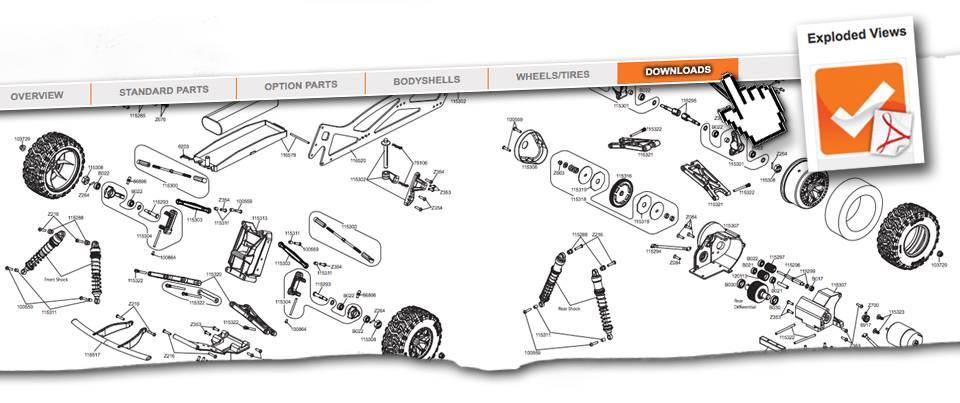
Mattel maintains an extensive inventory of replacement components for Hot Wheels RC vehicles, allowing you to repair rather than replace malfunctioning units. Understanding the parts ordering process saves time and ensures you get correct components.
Finding Compatible Parts
Before ordering, locate your exact model number, typically found on the product packaging, on a label inside the battery compartment, or on the instruction sheet. This number identifies the specific version of your RC vehicle and ensures compatibility with ordered parts.
Access Mattel’s online parts ordering system to search by model number. The system displays available components including motors, gears, body shells, wheels, electronic components, and hardware. Review exploded diagrams if available to identify the exact part you need. When uncertain, contact Mattel support with your model number for assistance identifying the correct component.
Component Selection Considerations
Replacement parts range from simple hardware to complex electronic assemblies. Compare OEM (original equipment manufacturer) parts versus aftermarket alternatives—OEM parts ensure perfect fit and function but may cost more. Aftermarket parts can work well for some components but may not meet original specifications for others.
Consider your technical comfort level when ordering electronic components. Some repairs require soldering and technical skill, while other components are designed for simple plug-and-play replacement. If a repair seems beyond your abilities, locate an authorized service center through Mattel’s service network rather than risking further damage.
Contact Mattel Support Resources
When self-diagnosis and repair attempts don’t resolve your Hot Wheels RC car not working issue, Mattel’s support infrastructure provides direct assistance pathways.
Self-Service Support Options
Mattel’s online consumer support portal operates 24/7 and serves as your first resource for troubleshooting guidance. The portal hosts instruction manuals, animated guides for complex procedures, FAQ databases addressing common problems, and parts ordering capabilities. Before contacting representatives directly, explore these resources—they often contain the exact solution to your specific issue.
The FAQ section addresses power failures, control problems, operational concerns, and unusual symptoms. Search using keywords describing your exact problem, and you’ll often find documented solutions from similar user experiences. This self-service approach resolves many issues without wait times or phone calls.
Technical Support Escalation
For problems requiring personalized assistance, Mattel’s technical support representatives handle complex diagnostics and repair guidance. Prepare before calling by gathering your model number, purchase information, specific symptoms, and troubleshooting already attempted. This information allows representatives to provide focused guidance rather than starting from basic questions.
Technical support can determine whether your issue stems from user-repairable problems, requires replacement parts, or needs professional service intervention. They can also process warranty claims for qualifying issues and authorize replacements when appropriate.
Prevent Future Problems
Regular maintenance and proper usage habits dramatically extend the life of your Hot Wheels RC vehicle and prevent many common failures.
Battery Care and Storage
Proper battery maintenance prevents the most frequent power-related failures. For rechargeable batteries, avoid leaving them in a fully depleted state—recharge promptly after use rather than letting the vehicle sit with dead batteries. Store batteries in a cool, dry location away from direct sunlight and extreme temperatures.
Follow charging recommendations exactly, avoiding overcharging or using incompatible chargers. Replace batteries showing signs of swelling, leakage, or significantly reduced runtime. Even quality batteries degrade over time and eventually need replacement.
Post-Use Maintenance
After each use session, perform quick maintenance to prevent gradual degradation. Remove dirt, debris, and grass from wheels, gears, and suspension components. Check for loose screws or hardware that may have vibrated loose during operation. Inspect wires and connections for signs of stress or damage.
Store your vehicle with batteries removed if you won’t use it for extended periods. This prevents potential leakage damage and reduces strain on battery contacts. Keep the transmitter batteries installed but remove them for very long storage periods.
Safe Operating Practices
Avoid conditions that cause premature wear or damage. Don’t operate in mud, water, or extremely dusty environments unless your model is specifically designed for such conditions. Avoid high-speed impacts with solid objects, which damage motors, gears, and suspension components.
Supervise younger users to prevent rough handling beyond the vehicle’s design limits. While Hot Wheels RC vehicles are designed for durability, they’re not indestructible. Teaching proper operation habits prevents unnecessary damage and builds responsible RC hobby skills.
A Hot Wheels RC car not working doesn’t always mean it’s broken beyond repair. By systematically checking power systems, radio communication, and mechanical components, you can identify and fix most problems yourself. Mattel’s support resources—from online troubleshooting guides to technical support representatives—provide backup when home diagnosis falls short. With proper maintenance and battery care, your RC vehicle can provide years of enjoyment and survive the inevitable crashes and adventures that come with RC play. Don’t give up too quickly on your Hot Wheels RC car not working—most issues have straightforward solutions that get you back to racing in no time.