You’re all set for an afternoon of high-speed RC action when you flip the power switch—only to be met with silence. That sinking feeling when your RC car won’t start is all too familiar for hobbyists of every skill level. Whether you’re dealing with a brand-new beginner model that never worked properly or a trusted race car that suddenly refuses to cooperate, a non-starting RC vehicle can ruin your plans in seconds. The good news is that most RC car won’t start issues stem from relatively simple causes that you can diagnose and fix without specialized tools or expensive repairs.
Most RC car starting problems can be traced to one of five core systems: power connections, battery condition, electronic components, mechanical obstructions, or transmitter-receiver communication. By approaching the problem methodically, you’ll identify the culprit efficiently rather than wasting time replacing parts randomly. This guide gives you a step-by-step diagnostic process that solves 90% of RC car won’t start scenarios in under 30 minutes, getting you back to driving faster with minimal frustration.
Verify Power Switch and Basic Connections First
Before diving into complex diagnostics, eliminate the simplest causes that account for nearly half of all RC car won’t start situations. Many experienced hobbyists skip these basic checks and waste valuable time troubleshooting non-existent problems when the solution is surprisingly straightforward.
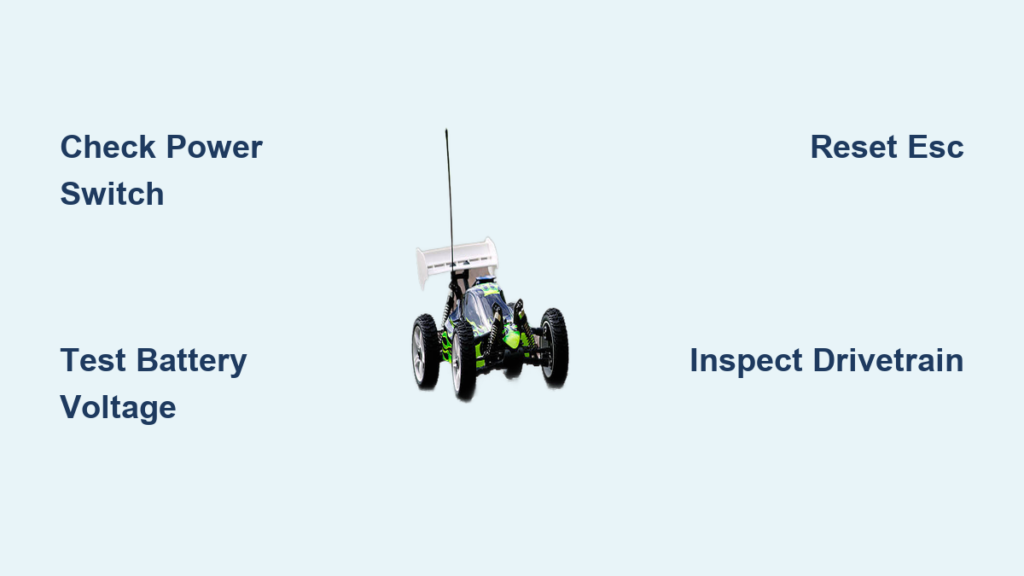
Check that your RC car’s main power switch is firmly in the “on” position. While this sounds obvious, it’s astonishing how often a switch gets accidentally bumped during transport or storage. Some RC models have switches positioned where they can engage or disengage when placing the vehicle in a case. For vehicles with multiple power switches (like separate receiver and ESC switches), verify each one is properly activated. Gently wiggle the switch while attempting to start—you might have a failing switch with internal contact issues.
Examine the battery connector to ensure it’s fully seated in the receiver. RC battery connectors can work loose during operation due to vibration, and many won’t make proper contact if not firmly connected. Disconnect and reconnect the battery with a positive “click” sound, ensuring alignment tabs engage correctly. Improperly seated connectors create intermittent power that prevents startup but might allow other electronics to function partially, creating confusing symptoms.
Confirm your transmitter has fresh batteries and is properly bound to the receiver. A weak transmitter battery often allows the transmitter to power on but fails to send a strong enough signal for the receiver to recognize throttle commands. Install brand-new batteries in your transmitter, then follow your vehicle’s specific binding procedure—typically involving pressing a bind button on the receiver while powering on the transmitter. Most receivers indicate successful binding through LED patterns; a solid light usually means good communication while flashing suggests binding failure.
Inspect Battery Health and Charging System

Battery issues cause more RC car won’t start scenarios than any other single factor. Many hobbyists assume their battery is fine because it “was working yesterday,” but RC batteries degrade with use and can fail unexpectedly. A systematic battery evaluation takes just minutes but eliminates the most common starting culprit.
Test your main battery’s voltage with a multimeter before charging. A healthy 7.2V NiMH battery should read 7.8-8.4V when fully charged, while a 2S LiPo should show 8.4V. If your battery reads significantly lower than expected after charging, you likely have either a faulty charger or a degraded battery that can no longer hold a proper charge. Batteries showing normal voltage at rest but dropping dramatically under load indicate internal cell failure—these batteries need replacement as they’ll prevent your RC car from starting despite appearing charged.
Check your charger’s operation by testing its output with a multimeter. Set your meter to DC voltage and measure the charger’s output while it’s connected to a battery. The reading should match the expected voltage for your battery type (e.g., 8.4V for a 7.2V NiMH pack). If the charger shows “complete” but delivers incorrect voltage, you have a faulty charger that needs replacement. Many RC car won’t start problems stem from chargers that appear functional but fail to deliver proper charging parameters.
Consider battery age and storage conditions. RC batteries typically last 100-300 charge cycles depending on type and usage. If your battery is more than 18 months old or shows physical damage like swelling (for LiPos) or leaking (for NiMH), replace it immediately. Never attempt to charge a swollen or damaged battery—it poses serious safety risks. Store batteries at approximately 50% charge for long-term storage, as fully charged batteries degrade faster.
Diagnose Electronic Speed Controller (ESC) Issues
The electronic speed controller acts as your RC car’s power management center, and ESC failures frequently cause RC car won’t start symptoms. Modern ESCs include multiple safety features that prevent operation under unsafe conditions, sometimes creating confusing “no-start” scenarios when they’re actually functioning correctly.
Perform an ESC reset procedure to clear any temporary fault conditions. Most ESCs reset by disconnecting power, turning on the transmitter, then reconnecting power while holding the throttle at maximum for several seconds. Consult your specific ESC manual for exact reset instructions, as procedures vary between manufacturers. After resetting, follow the proper power sequence: transmitter on first, then vehicle power switch, then throttle calibration if required. Many RC car won’t start issues resolve after a simple ESC reset that clears protective lockouts.
Examine the ESC for physical damage including burnt components, melted wires, or swollen capacitors. Smell the ESC carefully—overheated electronics often emit a distinctive “burnt electronics” odor even without visible damage. Listen for specific beep codes when attempting to start; different beep patterns indicate low voltage, signal loss, or thermal protection activation. Count the beeps and consult your ESC manual to interpret these diagnostic signals—most manufacturers provide beep code references in their documentation.
Test the ESC’s output capability by disconnecting the motor and measuring voltage at the motor terminals with a multimeter. With the transmitter at neutral, you should read near zero volts. Gradually applying throttle should show increasing voltage corresponding to throttle input. If you get no voltage output regardless of throttle position, your ESC has likely failed and needs replacement. Conversely, proper voltage output indicates the problem lies elsewhere in the system.
Check for Mechanical Binding in Drivetrain
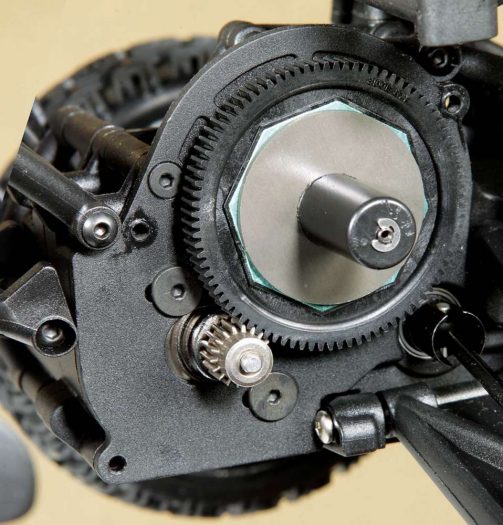
Mechanical obstructions prevent your RC car from starting by physically blocking rotation, creating loads that overwhelm the motor and ESC. These issues cause your RC car won’t start while all electronics remain fully functional—a confusing scenario that often leads hobbyists to replace good electronic components unnecessarily.
Rotate each wheel by hand to check for resistance throughout the drivetrain. Wheels should spin freely with minimal resistance, and all wheels should rotate together on four-wheel-drive vehicles. Binding in a single wheel often indicates a damaged driveshaft, CV joint, or differential problem. General resistance throughout the drivetrain suggests transmission, differential, or bearing issues that need attention before the vehicle will start properly.
Inspect the transmission and gear reduction system for debris, damaged teeth, or stripped gears. Remove the transmission cover and visually examine all gears for foreign objects, hair, or string wrapped around shafts—common after off-road driving. Clean out any debris and replace damaged gears before attempting further operation. Many RC car won’t start cases involve small objects that have worked their way into the transmission, and removal restores function immediately.
Verify proper pinion and spur gear mesh, as improper adjustment can prevent rotation entirely. If the gears mesh too tightly, they create binding the motor cannot overcome. Conversely, if the pinion has come loose from the motor shaft, it won’t engage the spur gear at all. The ideal mesh allows slight clearance between teeth—you should see a small gap when viewing the gears from the side, with the gears turning freely when the vehicle is lifted off the ground.
Prevent Future Starting Problems with Proper Maintenance

Once you’ve resolved your RC car won’t start issue, implementing simple preventive maintenance habits dramatically reduces recurrence. Regular inspection takes less time than troubleshooting and keeps your vehicle ready for action whenever you want to drive.
Establish a pre-drive checklist that includes battery charging verification, switch and connection inspection, and visual component checks before every use. This 30-second routine catches developing problems before they cause complete failures during operation. Pay particular attention to connections that experience vibration during driving, as these gradually loosen over time and benefit from periodic retightening.
Implement proper storage protocols to protect your RC car during downtime. Remove batteries completely for storage rather than leaving them connected, and store LiPo batteries at approximately 50% charge. Keep your vehicle in a climate-controlled environment away from extreme temperatures and humidity. Cover electronic components with protective caps if the vehicle will be stored where dust or debris could accumulate.
Schedule periodic maintenance based on your driving frequency. After every 10-15 hours of operation, check gear wear, lubricate moving parts, and inspect wires for damage. Monthly inspections should include deeper checks of motor condition, bearing wear, and receiver antenna integrity. This preventive approach transforms potential RC car won’t start disasters into minor maintenance tasks performed on your schedule rather than at the worst possible moment.
By methodically working through these diagnostic sections, you should have identified the specific cause of your RC car won’t start issue and implemented an appropriate solution. Remember that most starting problems stem from simple connection issues or battery problems rather than complex electronic failures. Regular maintenance and proper storage practices will minimize future starting problems and extend the lifespan of every component in your RC vehicle. When your next RC session begins with that satisfying whir of a motor instead of frustrating silence, you’ll know your troubleshooting efforts paid off.